
Cartoon Comic Strip Maker
CsmartworldComics
3.2124.00 Reviews
- Version
- 8.7
- Installs
- 1.00M
- Age Rating
- Everyone
Screenshots
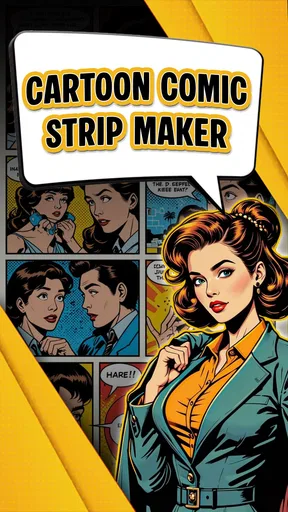
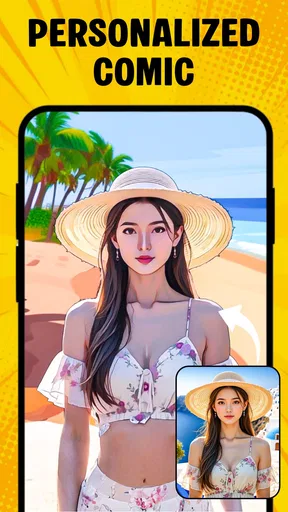
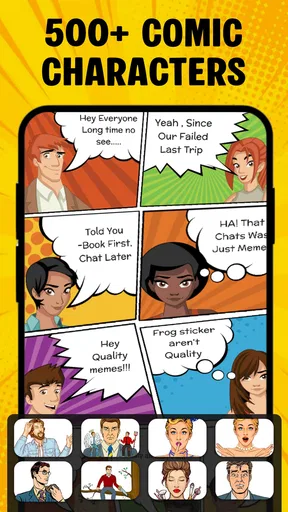
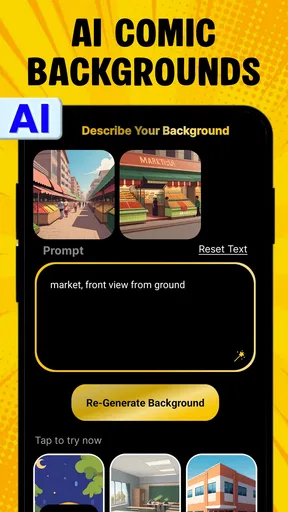
Our Review of Cartoon Comic Strip Maker
 Analysis by Appyee
I like the idea of making a comic without needing to start with a blank page or learn a full illustration program. Cartoon Comic Strip Maker is aimed at that quick, playful kind of creation: choose a scene, arrange characters, add dialogue, and turn a small idea into something you can share. I’d treat it as a casual comic-making tool rather than a professional publishing studio, but that narrower focus can be useful when I want to make a joke or tell a short story without a long setup.
What the app is like to use now
The app is a free comics app from Csmartworld, with a 3.2 average from around 9,700 ratings and more than a million installs. It is rated for Everyone, and its current version is 8.7. Those figures suggest that plenty of people have tried it, though the modest average rating is a reason to keep expectations practical: I’d install it for accessible creative play, not assume it will feel as polished or flexible as a dedicated desktop art tool. In-app purchases are available at $6.99 per item.
The basic appeal is straightforward. Instead of drawing every person and prop from scratch, I can build a scene from ready-made visual elements and focus on the gag, conversation, or sequence of events. That makes the app a natural fit for someone who has ideas for comics but doesn’t yet have the drawing confidence—or spare time—to illustrate every panel by hand.
A quick start, with a few creative trade-offs
The first thing you’ll notice about the app is how user-friendly it is. From the moment you open it, it feels like stepping into a comic book universe. The interface is intuitive, and even if you’re a newbie to comic creation, you’ll find it easy to navigate.
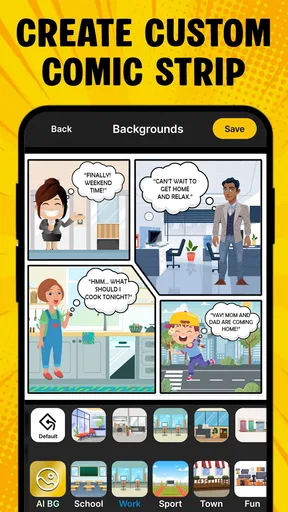
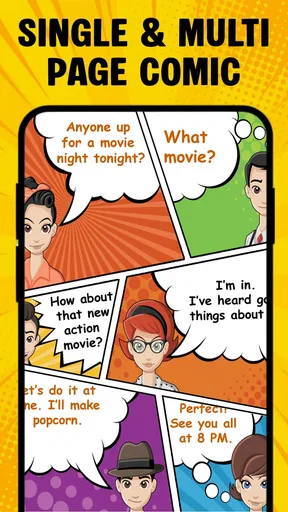
The app offers a variety of templates to help kickstart your creativity. Whether you want to create a single-panel comic or a multi-page story, there’s something here for everyone. Simply choose a template, and you’re ready to start crafting your masterpiece!
Templates are especially helpful when the aim is to finish something quickly, but they also shape the result. If several people choose similar layouts and character assets, their comics can have a familiar look. I’d use the template as scaffolding rather than a finished design: change the dialogue, vary the staging, and give each panel a clear purpose. Even a small alteration in what a character is doing can make a stock scene feel more personal.
Building a scene and making the dialogue work
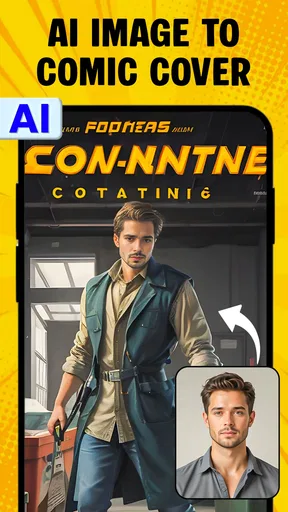
Let’s talk about the features that really make this app shine. First up, the character customization options are fantastic. You can choose from a wide array of characters, each with customizable features. Change their hair, clothes, and expressions to suit your storyline. It’s like having your own team of actors ready to perform in your digital comic.
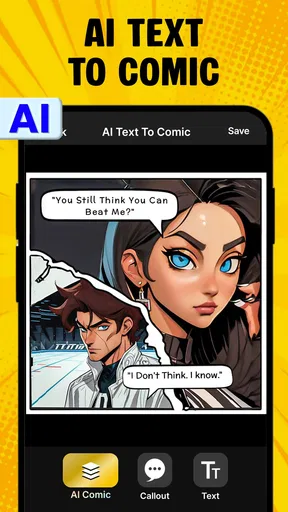
Next, the speech bubble options are a blast. You can add dialogue, thought bubbles, and even sound effects to bring your scenes to life. The font styles are varied, allowing you to match the mood of your comic, whether it’s a dramatic encounter or a light-hearted joke.
What I love most is the drawing toolset. If you’re feeling particularly artistic, you can freehand your own elements onto the comic. The app gives you the freedom to doodle and design, adding a personal touch to each panel.
One useful workflow is to write the punchline before arranging the panels. With a short strip, the final bubble often determines what the reader needs to see first, so planning backward can prevent a crowded or confusing ending. I’d keep each bubble brief and check the reading order on the finished page; expressive fonts can add character, but too much text or too many styles can make a panel harder to scan.
How I’d use it in an ordinary week
Creating my first strip was a breeze. I decided to go with a classic superhero theme, because, let’s be honest, who doesn’t want to be a superhero? The app’s library had everything I needed, from capes to masks, and even villainous lairs.
As I pieced together my panels, I found the drag-and-drop functionality incredibly smooth. It didn’t take long before my comic started to take shape, and seeing it come to life was immensely satisfying. I could easily rearrange elements and tweak details until everything was just right.
A realistic use for me would be turning a small everyday mishap into a three-panel joke: set up the problem, show the character’s overconfident solution, then land on the unexpected result. I could do that during a break, save the project, and return later to tighten the wording. That kind of low-pressure project suits the app better than an elaborate graphic novel, where consistent character design, precise page control, and extensive original artwork matter more.
For a family activity, I’d also use it as a prompt rather than expecting children to produce a polished comic. One person can invent the situation, another can choose expressions and props, and someone else can write the dialogue. The Everyone content rating makes it approachable for a broad audience, though adults should still guide younger users when sharing anything publicly or using social platforms.
Sharing, saving, and deciding where it fits
Once your comic is complete, sharing it is just as simple. The app offers direct sharing options to popular social media platforms, so you can show off your work to friends and followers. Plus, you can save your comic in various formats, making it easy to print or embed on a website.
And if you’re looking to create a series, the app allows you to save your projects and come back to them whenever inspiration strikes. This means you can keep building your comic universe over time.
Before making a long series, I’d create one short test strip and save it in the format I expect to use. That small check helps me see whether the text remains legible at the size I plan to share or print, and whether the layout suits the destination. For an ongoing story, I’d also keep a simple note of each character’s recurring clothes and visual traits; that makes it easier to recreate a consistent cast when returning to a project.
Compared with drawing apps, this is the quicker route when I want ready-made comic components and a guided layout. Compared with general design tools, its comic-specific elements can get me to a finished strip with less setup. The trade-off is creative control: someone who wants to draw every figure, build a distinctive visual style, or prepare publication-ready pages may be happier in an illustration or page-layout app. This one is most compelling when speed and approachability matter more than complete artistic freedom.
The app is free to try, but the listed in-app purchases cost $6.99 per item. I’d explore the basic creation flow first and decide whether the available tools already cover my needs before paying for anything. That is particularly sensible for occasional users, who may only need to make a quick greeting, classroom prompt, or social post rather than maintain a regular comic project.
Where it may frustrate, and what I’d watch for
The main limitation of template-led creation is that convenience can narrow the visual voice of a comic. Customization and freehand drawing offer ways to make a strip feel more individual, but they don’t automatically provide the depth of control that an experienced artist may expect from a dedicated drawing workspace. If the exact pose, panel composition, or consistent look of a recurring character is central to your project, I’d test those needs early rather than assume the app will handle them as smoothly as a specialist tool.
Another practical consideration is the difference between making a comic and preparing it for every destination. A design that looks clear on a phone may need larger lettering or a simpler arrangement when printed. I’d preview the saved result before sharing, especially if a strip depends on small visual details or several speech bubbles. That quick review can catch readability problems before the comic reaches its audience.
The app was released on January 17, 2019, and version 8.7 is the current version. That gives me a concrete point of reference for its lifecycle, but it doesn’t by itself tell me what changed between releases. Existing users should judge the current experience by trying the tools they rely on, especially if they have older saved projects; anyone new can begin with a small test comic and see whether the workflow suits them. I’d watch future updates for changes that make project continuity, output choices, or fine-grained layout work clearer, without treating those possibilities as features already available.
So who should skip it? I’d look elsewhere if I needed advanced illustration controls, highly precise page production, or a workflow built for professional publishing. I’d also avoid choosing it solely because I want a powerful freehand drawing canvas; the app’s strongest idea is combining comic-ready pieces, not replacing every art tool. On the other hand, a beginner, a parent looking for a creative activity, or someone who wants to turn a joke into a visual strip may find that a guided start is exactly what makes the project achievable.
My verdict for casual comic makers
All in all, Cartoon Comic Strip Maker is a delightful app for anyone interested in exploring their creative side. Whether you’re a seasoned artist or just looking for some fun, this app provides the tools you need to bring your comic ideas to life.
With its easy-to-use interface, extensive customization options, and seamless sharing capabilities, it’s no wonder this app is making waves among comic enthusiasts. So, why not download it today and start your own comic adventure?
My recommendation is more measured: try it when you have a specific short comic in mind, and let the first project tell you whether its templates and editing style match how you like to create. For a quick gag, a playful family exercise, or a simple recurring strip, that low barrier can be a real advantage. For detailed original artwork or publication-focused work, I’d choose a more specialized tool.
Happy comic-making, my friends!
Verdict
Strengths of Cartoon Comic Strip Maker
- User-friendly interface for quick creation.
- Wide range of templates and characters.
- Allows easy sharing on social media.
- Frequent updates with new features.
- Offline mode available for convenience.
Limitations of Cartoon Comic Strip Maker
- Limited free version features.
- Occasional in-app advertisements.
- Some templates require in-app purchases.
- Large file size may affect storage.
- Requires internet for full functionality.
Similar Picks in This Category
View All
WEBTOON: Manga, Comics, Manhwa
NAVER WEBTOON4.6

MangaToon: Comic & Manga
MangaToon4.3

네이버 웹툰 - Naver Webtoon
NAVER WEBTOON4.3

Tapas – Comics and Novels
Tapas Entertainment Inc.4.2

Lezhin Comics - Daily Releases
LEZHIN ENTERTAINMENT3.3

WebComics - Webtoon & Manga
WEBCOMICS HOLDINGS HK LIMITED4.4
Frequently Asked Questions
What features does Cartoon Comic Strip Maker offer?
Cartoon Comic Strip Maker provides a range of features including customizable templates, a wide selection of characters and backgrounds, speech bubbles, and text options. Users can easily design and edit comic strips with drag-and-drop functionality. It also supports exporting your creations in various formats for sharing on social media.
Is Cartoon Comic Strip Maker suitable for beginners?
Yes, Cartoon Comic Strip Maker is designed to be user-friendly, making it suitable for beginners. The intuitive interface allows users to create comics without prior experience. Tutorials and guides are available within the app to help new users get started and make the most of the features provided.
Are there any in-app purchases in Cartoon Comic Strip Maker?
While Cartoon Comic Strip Maker is free to download, it offers in-app purchases. These can include additional characters, exclusive backgrounds, and premium features such as advanced editing tools. Users can choose to purchase these extras to enhance their comic creation experience, though they are not necessary to use the basic functions.
Can I share my comic strips directly from the app?
Yes, Cartoon Comic Strip Maker allows you to easily share your comic strips directly from the app. You can export your creations to various social media platforms, email, or save them to your device. This feature makes it convenient to showcase your work and engage with a wider audience.
Is Cartoon Comic Strip Maker available for both Android and iOS?
Cartoon Comic Strip Maker is available for both Android and iOS devices. You can download it from the Google Play Store for Android or the App Store for iOS. This cross-platform availability ensures that users can create and share their comics regardless of their device preference.
